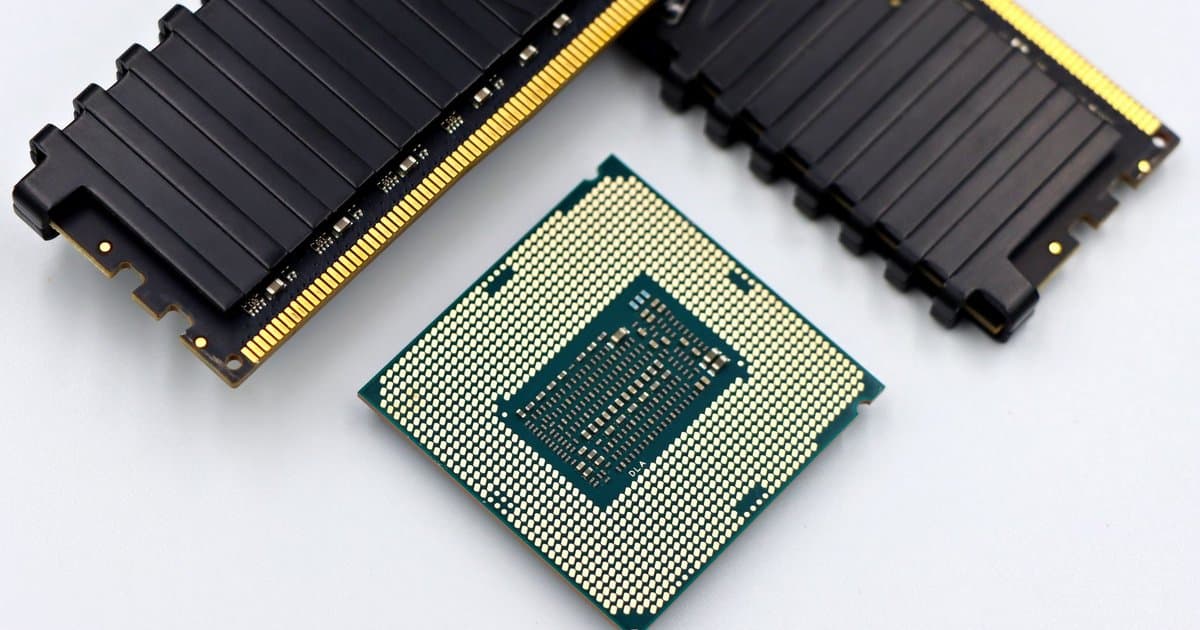
When a computer feels slow, the first instinct is usually to blame the processor and start shopping for a new machine. It feels logical, since we are trained to think a faster chip means a faster computer. Most of the time, though, the processor is not the reason your machine drags, and a new one would barely help. The real bottlenecks are usually cheaper, smaller, and completely fixable without replacing anything major. Chasing a faster chip to solve a slowness problem is often spending the most money to fix the least likely cause. Before you buy a whole new computer, it is worth understanding what actually slows one down. The answer surprises most people.
The most common culprit is memory, not the processor, and the two are easy to confuse. Random access memory, or RAM, is the space your computer uses to hold everything it is actively working on at once. When you open a dozen browser tabs, a photo editor, and a music app together, they compete for that space, and when it runs out the machine slows to a crawl. At that point the computer starts shuffling data to the much slower storage drive to cope, and everything lags. A faster processor does nothing here, because the chip is sitting idle waiting on memory it does not have. Adding RAM, which is often cheap and simple, frequently transforms a machine that felt hopeless. The processor was never the problem.
The second big factor is the type of storage drive inside the machine. Older computers often run on a spinning hard drive, which reads and writes data slowly compared to a modern solid state drive. If your computer takes two minutes to start up and programs open with a long pause, a slow hard drive is very likely the reason. Swapping that drive for a solid state one is the single most noticeable upgrade most people can make, and it costs a fraction of a new computer. Files open faster, the system boots in seconds, and the whole machine feels years younger. Again, none of that improvement comes from the processor. The drive was quietly holding everything back.
The third cause has nothing to do with hardware at all, and it is the software you never see running. Many programs set themselves to launch the moment you turn the computer on, and they keep running in the background whether you use them or not. Dozens of these startup programs and background processes eat memory and attention, so the machine is busy before you open a single thing. Add a browser with thirty open tabs, each one a small program of its own, and even a strong computer chokes. Cleaning out startup items and closing tabs you are not using often restores speed instantly and for free. No new chip could outrun a system buried under its own clutter. The fix here is a habit, not a purchase.
There is also the matter of heat, which quietly throttles even a fast processor. When dust clogs the vents and fans, a laptop cannot cool itself, and to avoid damage it deliberately slows the chip down. So a machine that felt fast a year ago can feel sluggish simply because it is running hot and protecting itself. Cleaning the vents, keeping the machine on a hard surface instead of a bed or couch, and making sure the fans can breathe can bring back lost speed. This is one of the most overlooked causes of slowdown, and it fools people into blaming age. A faster processor placed in the same dusty, overheating machine would throttle right back down to the same crawl. The problem is airflow, not power.
So the next time a computer feels slow, resist the urge to shop for a faster chip first. Check your memory usage, find out whether you are running a spinning hard drive or a solid state one, and clear out the startup programs and browser tabs you do not need. Blow the dust out of the vents and give the fans room to work. In the large majority of cases, one of those fixes solves the problem for a small fraction of the price of a new computer. A faster processor helps with heavy, specific work like video editing or large simulations, but it rarely cures everyday sluggishness. The slowness you feel is almost always something else, and now you know where to look. Save the money and fix the real cause.



