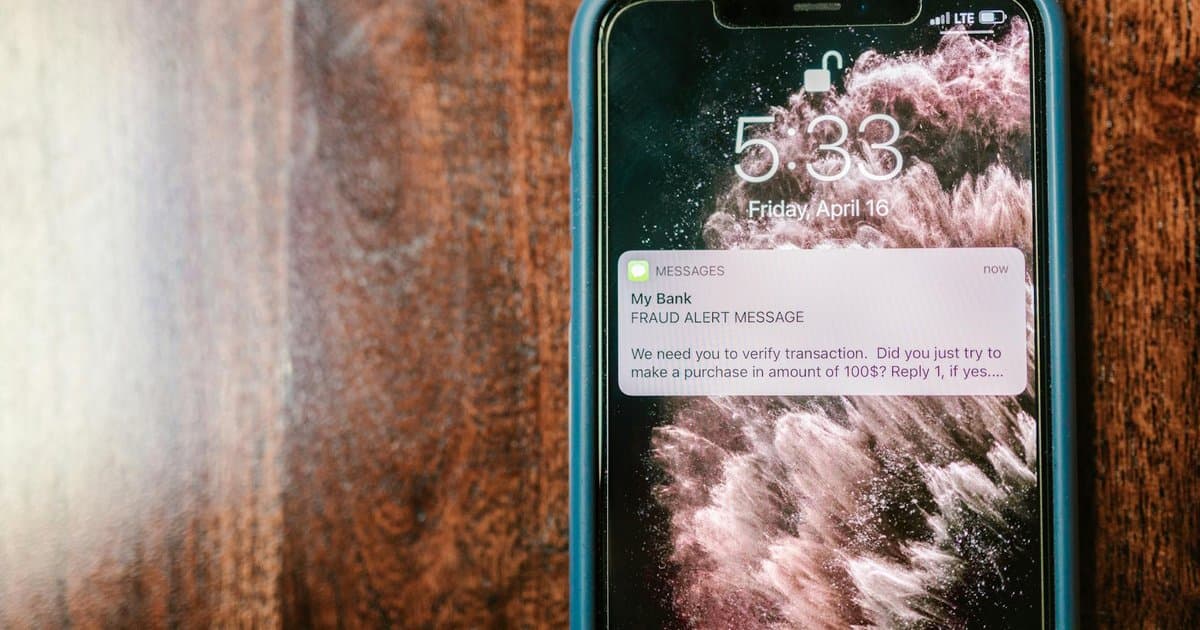
For years the advice was simple. Turn on two factor authentication so a thief needs more than your password to break into an account. That advice is still right. The part that has aged badly is the assumption that getting a code by text message is good enough. Texted codes feel secure because they arrive on your personal phone, the device you guard most carefully. The problem is that the code never really lives on your phone. It travels across a phone network that was never built for security, and attackers have learned exactly how to grab it. If you only use one form of two factor protection, text messages should be the one you move away from first.
The biggest weakness has a name, and it is SIM swapping. An attacker calls your phone carrier, pretends to be you, and convinces a support agent to move your number to a SIM card they control. From that moment, every text meant for you, including your security codes, arrives on their device instead. They do not need your physical phone, your fingerprint, or your face. They need enough personal details to fool a customer service rep, and those details are often for sale or scattered across old data breaches. Once they own your number, they can reset passwords and walk into your email, your bank, and your social accounts one by one. People have lost real money and entire digital lives this way, and the victims almost always had texted two factor turned on, believing it kept them safe.
There is a quieter weakness too. Text messages can be intercepted through flaws in the aging networks that carry them between carriers, and codes that show up on your lock screen can be read by anyone holding your phone, even without unlocking it. None of this means texting a code is useless, and having it is still far better than having no second factor at all. The point is that it sits at the bottom of the security ladder, not the top, and most people leave it there because nobody told them to climb higher. The good news is that the better rungs cost nothing and take only a few minutes to set up.
The first upgrade is an authenticator app. Apps like the ones from Google, Microsoft, or Authy generate a fresh code every thirty seconds directly on your device, with no text message and no network to intercept. Because the code is created on the phone itself, a SIM swap does not touch it, which closes the biggest hole instantly. Setting one up usually means scanning a square barcode inside an account's security settings, and from then on you open the app to read your code. The second upgrade goes further still. A passkey replaces the password entirely and ties your login to your specific device using your fingerprint or face. There is no code to steal, nothing to type, and nothing for an attacker to intercept, because the secret never leaves your phone or laptop. More banks, email providers, and stores add passkey support every month.
One more habit makes the whole switch safer, and people skip it constantly. When you move an account to an authenticator app or a passkey, save the backup recovery codes the service offers you. These are one time codes that let you back into your account if you ever lose your phone, and without them a lost device can lock you out of the very accounts you worked to protect. Write them down and store them somewhere physical, like a drawer at home, not a note on the same phone that holds the app. It also helps to set up the authenticator on a second device or a tablet you trust. That way a cracked screen or a stolen phone never becomes a full lockout. A few minutes of preparation now saves a miserable recovery process later.
You do not have to overhaul everything tonight. Start with the accounts that would hurt the most if someone got in, which for most people means primary email and the bank. Email matters most of all, because whoever controls it can reset the password on nearly everything else. Open the security settings on those accounts, switch from texted codes to an authenticator app or a passkey, and keep text as a backup only if no other option exists. The whole process takes less time than waiting in a checkout line. The contrarian truth here is that the security step you trusted most may be the one quietly leaving the door unlocked, and fixing it is free, fast, and entirely in your hands.



